Understanding event loop in JavaScript
JavaScript is a single-threaded, non-blocking, asynchronous language that runs natively in the browser.
Single-Threaded
The language runs only one instruction at a time. This sets it apart from multi-threaded languages that run several instructions at once.
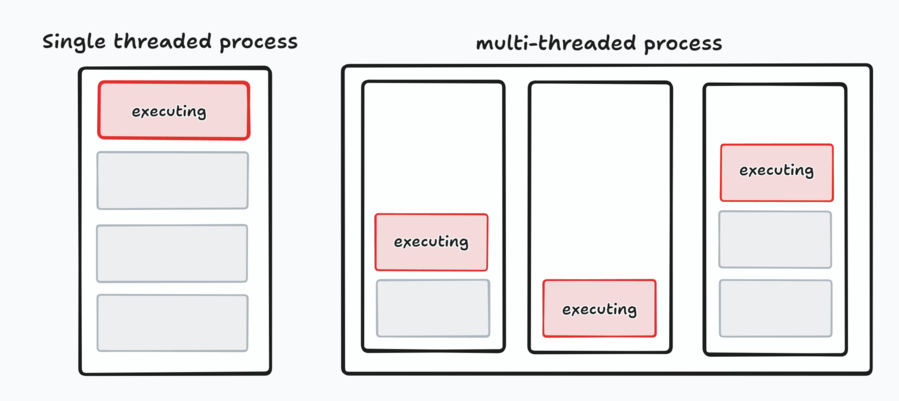
Non-Blocking and Asynchronous
The language does not block the next operation. The program does not wait for a previous operation to finish before moving on.
It uses callbacks, promises, and async/await to manage asynchronous tasks.
The event loop oversees the execution flow, so single-threaded JavaScript can handle multiple tasks concurrently.
Event Loop
The event loop pulls tasks out of the queue and places them onto the call stack (the function execution stack), making sure instructions don't block other code.
Web APIs
Web APIs are built into the browser. They let JavaScript manipulate documents, fetch data from the server, and more.
Callback Queue
The callback queue is a FIFO (First In, First Out) data structure: the first element added is the first one accessed.
Call Stack
The call stack is how the JavaScript interpreter tracks function calls: which function is running now, and which functions it calls.
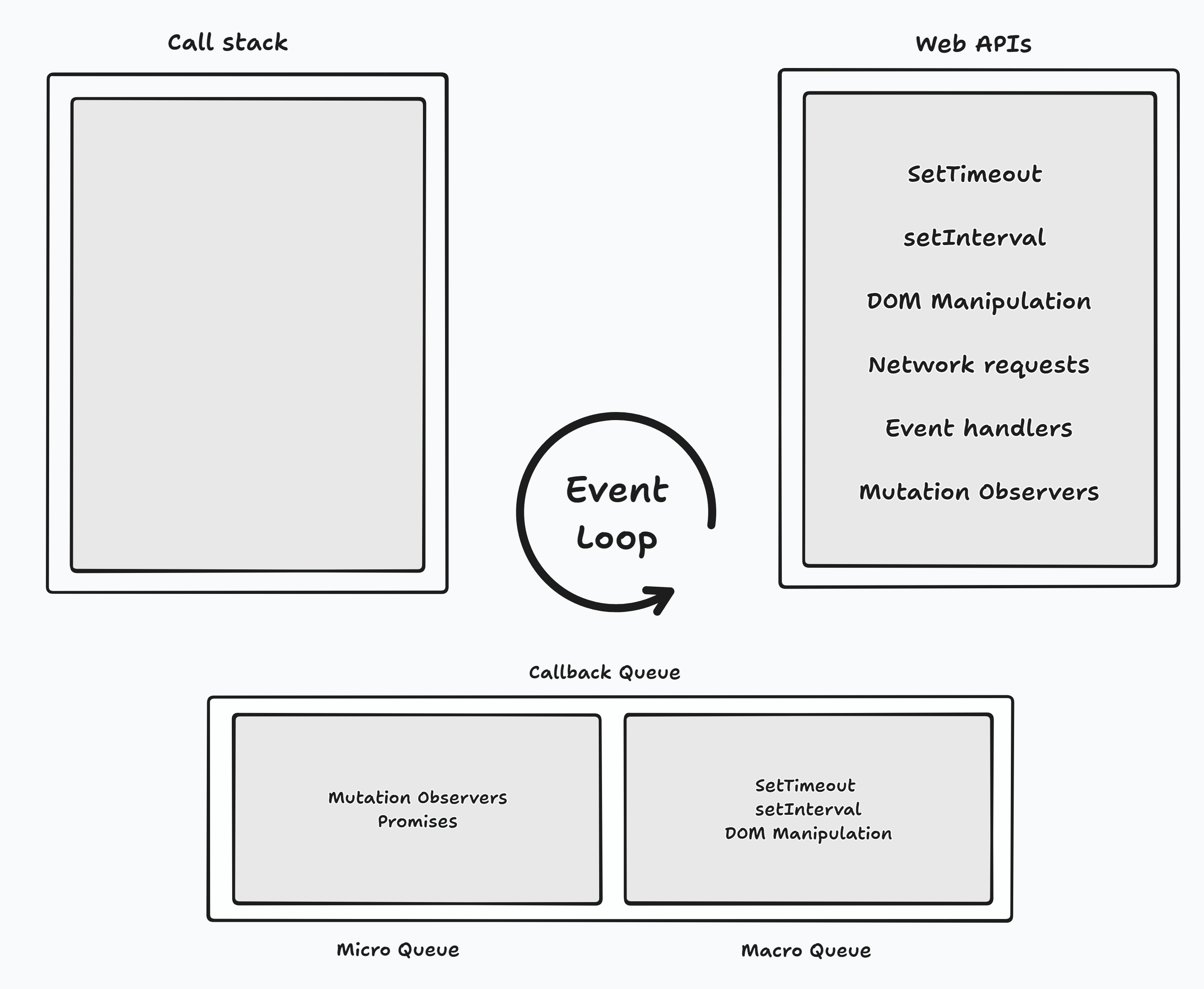
When a function is invoked, it's added to the call stack. A stack is first in, last out, so the function is popped off once it returns a value.
Let's figure out what gets logged to the console:
Here's the execution order:
console.log('First log')is added directly to the call stack- The callback passed to
setTimeoutis added to the Web APIs - The timer runs, and meanwhile the other
console.logis added to the call stack
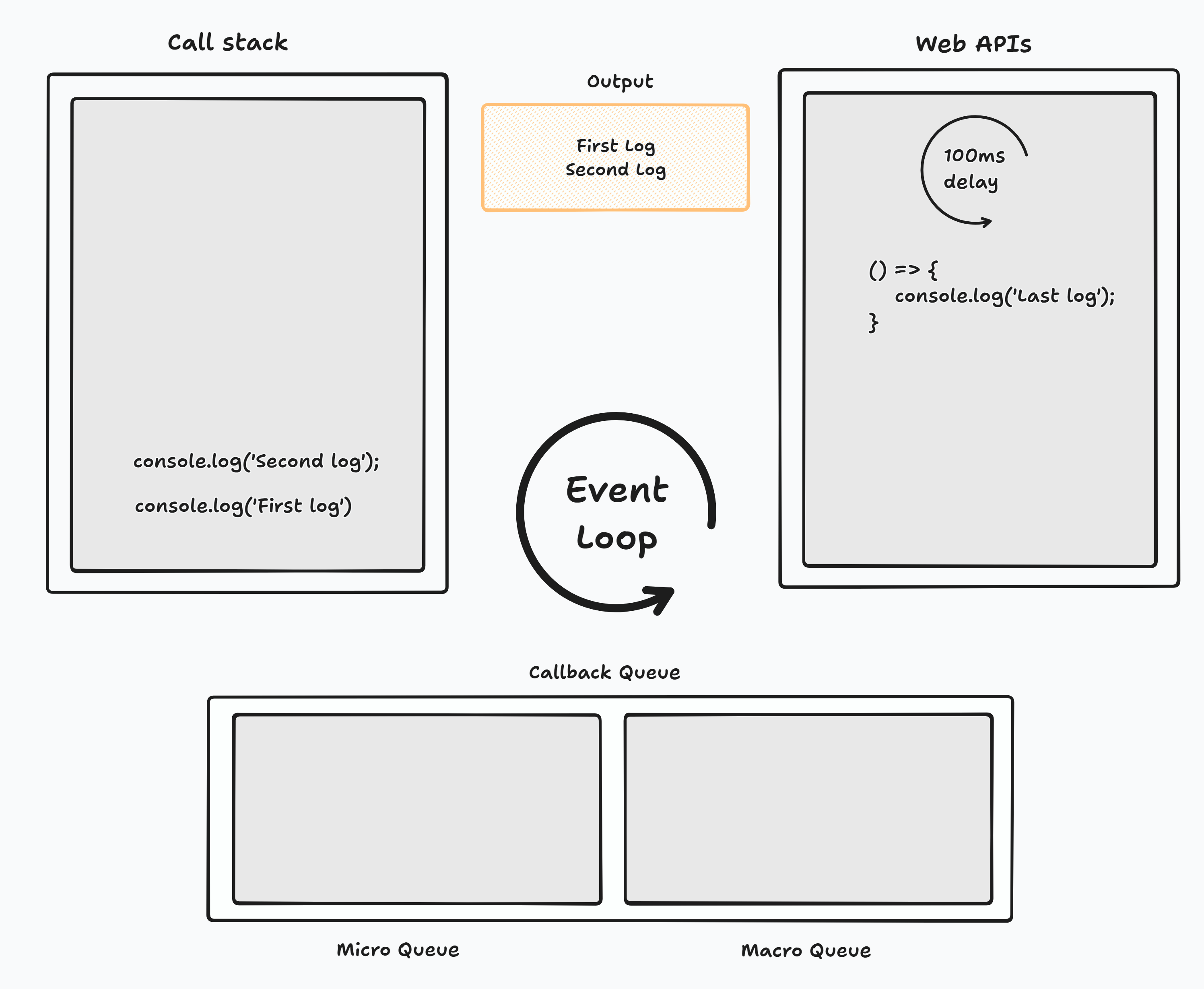
First logandSecond logare logged. Once the timer finishes, it moves the callback to the macrotask queue, and the event loop adds that callback to the call stack once the stack is empty.
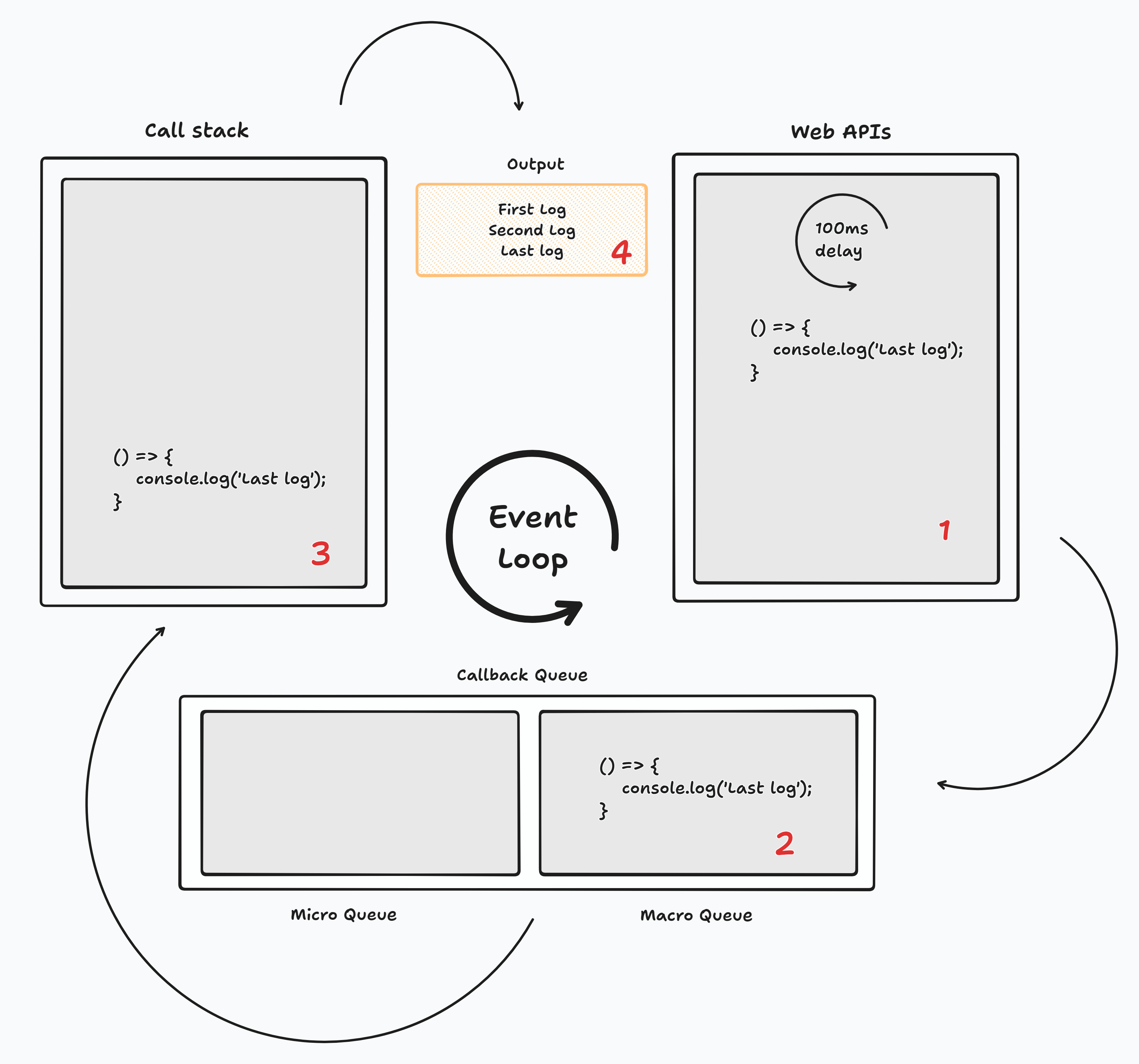
Note that the callback queue is really two queues: the microtask and macrotask queues.
The event loop always gives the microtask queue higher priority.
In this example, what order do you think the logs come in?
Applying the same concepts:
console.log('First')andconsole.log('Fourth')are added to the call stack, loggingFirstandFourth- The
PromiseandsetTimeoutcallbacks are already in the task queue. The microtask queue has higher priority than the macrotask queue, soThirdis logged next - Finally, the
setTimeoutcallback runs, loggingSecond
Quick Recap
-
JavaScript Runtime Model
- Single-threaded execution
- Non-blocking operations
- Asynchronous capabilities
- Event-driven architecture
-
Event Loop Components
- Call Stack: Function execution context
- Web APIs: Browser-provided capabilities
- Callback Queue: Task management
- Microtask & Macrotask queues
-
Execution Order
- Synchronous code runs first
- Microtasks have higher priority
- Macrotasks run after microtasks
- Event loop maintains order
References
- JavaScript Visualized: Event Loop - Lydia Hallie
- Microtask & Macrotask - MDN
- Call Stack - MDN
- Web APIs - MDN
- Callbacks - MDN
- async/await - MDN
